On this page
Key takeaways
- A white label SEO dashboard shows live data under your agency's brand. A monthly report explains what the data means.
- Lead with business outcomes: organic leads, calls and sales, then clicks, impressions and rankings.
- Always include a work log. Clients renew when they can see what was done.
- Keep Search Console, analytics and Business Profile ownership with the client, and add your team and partner as users.
- A branded white label SEO audit is often the first deliverable a client sees, so treat it as a sales document too.
Quick answer
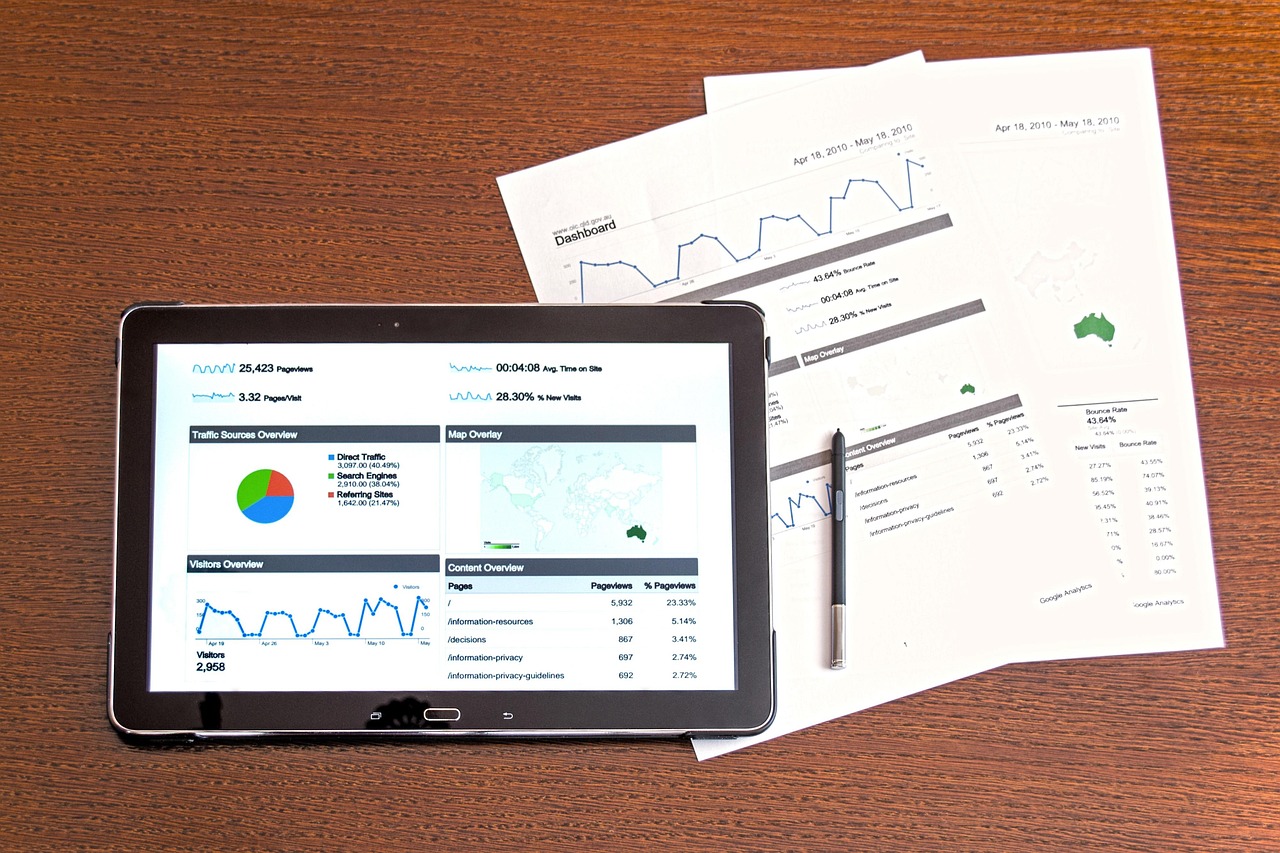
A white label SEO dashboard should show organic leads or sales first, then Google Search Console clicks and impressions, top pages, tracked keyword positions and local map data where relevant. It carries your agency's logo and colors, pulls data from accounts the client owns, and is paired with a short monthly summary of work done and next steps.
A white label SEO dashboard is where your client checks whether SEO is working. When a partner delivers the SEO, the dashboard and the monthly report are also the main places your agency's brand shows up. Get them right and clients see a clear, consistent agency. Get them wrong and they see charts they cannot read and a list of tasks with no link to their business. This guide covers what to include, how to brand audits and reports, and how to handle data access safely.
What should a white label SEO dashboard include?
Start with the numbers the client cares about, then show the numbers that explain them. A good layout runs from business results at the top to search detail at the bottom.
| Section | Metrics | Data source |
|---|---|---|
| Business results | Organic leads, calls, form fills, purchases or revenue | Google Analytics, CRM, call tracking |
| Search visibility | Clicks, impressions, average position, click-through rate | Google Search Console |
| Pages | Top landing pages by organic clicks and conversions | Search Console and Google Analytics |
| Keywords | Tracked keyword positions, grouped by service or topic | Rank tracking tool |
| Local | Map grid positions, profile calls, direction requests, website clicks | Google Business Profile, map rank tracker |
| Work log | Tasks completed this month, by URL and date | Partner task log |
Keep the first screen to five or six numbers. Most clients read the top of the dashboard and stop. Put the detail lower down for the client who wants to dig in, and for your own account managers.
Dashboard vs monthly report: you need both
A dashboard is live and always available. A report is a point-in-time document that explains the month. Clients who only get a dashboard often stop logging in. Clients who only get a PDF have to wait a month to see anything. Most agencies use both.
Pros
- Dashboard: always current, no waiting for month end
- Dashboard: builds trust through transparency
- Report: explains why numbers moved
- Report: records work done and next month's plan
Cons
- Dashboard: raw numbers without context can alarm clients
- Dashboard: breaks when a data connection expires
- Report: takes time to write each month
- Report: out of date the day after it is sent
The monthly report does not need to be long. One page of summary, the dashboard snapshot, the work log and a short plan for next month is enough for most clients. Our guide to what an agency should report every month covers the structure in more detail.
Set expectations in the first report. Tell the client which numbers you will show every month, why leads come before rankings, and that some months will be flat while fixes and content take effect in search. Clients who know how to read the report on day one ask better questions later, and are less likely to judge SEO on one keyword they checked on their own phone.
How to brand white label SEO reports
White label means the client sees your agency and nothing else. Check every place the partner's name could slip through.
- Logo, colors and fonts on the dashboard, the PDF and any slides.
- A custom domain or your own workspace for the dashboard link, so the URL does not name a vendor.
- Sender names on scheduled report emails.
- File names and document metadata on PDFs and spreadsheets.
- Comments and author names in shared documents.
- Tool watermarks on exported charts.
Google's Data Studio, the dashboard tool previously called Looker Studio, is free and connects to Search Console and Google Analytics directly, which makes it a common choice for branded dashboards. Paid reporting tools add features such as white label client portals and scheduled PDFs. Pick the tool your team can maintain, since broken data connections are the most common reason dashboards go blank.
The white label SEO audit: your first report
For many clients, the first thing they see from your SEO service is an audit. A white label SEO audit is prepared by the partner and delivered as your agency's work. It sets the baseline every future report is compared against, so build it with that in mind.
- 1
Summary for the owner
One page in plain language: the three to five issues that matter most and what fixing them should improve.
- 2
Technical findings
Indexation, crawl errors, site speed, duplicate pages, redirects and structured data, each with a priority and an owner.
- 3
On-page and content
Title tags, headings, thin or overlapping pages, and gaps against the searches the client wants to win.
- 4
Local and links
Business Profile completeness, citation consistency and a view of the link profile, where relevant.
- 5
Baseline numbers
Clicks, impressions, tracked positions and organic conversions at the start date. This is what next month's report is compared against.
- 6
Roadmap
The order of work for the first months, so the client knows what is coming.
If a client wants a standalone audit before committing to monthly SEO, our SEO audit service shows what a full audit covers.
Set up data access the right way
Reporting depends on access, and access is where white label arrangements most often go wrong. The safest setup keeps ownership with the client and gives everyone else the least access they need.
- Search Console: the client stays verified owner. Search Console lets owners add users with full or restricted access, so your agency and the partner can be added without owning the property.
- Google Analytics: the client owns the account and adds users with the role each person needs. Google's help pages list the roles and what each one can change.
- Google Business Profile: the client stays primary owner and adds your agency as owner or manager. Managers can edit the profile and reply to reviews but cannot add or remove users.
- Dashboards: build them in your agency's workspace and connect data through accounts the client has shared, so the dashboard stays with you if the partner changes.
How a report moves from partner to client
In a white label setup, the report passes through two teams before the client reads it. A fixed monthly workflow stops reports from going out late, unreviewed or with the wrong branding.
- Data refresh. The dashboard updates automatically. The partner checks that every data connection is working and flags any gaps.
- Draft summary. The partner writes the month's summary in your template: what moved, why, and the work behind it.
- Agency review. Your account manager reads the draft, adds client context the partner does not have, such as a promotion, a new branch or a sales team change, and edits the tone.
- Send and discuss. The report goes out from your agency's email, and the account manager walks the client through it on a short call.
- Feedback loop. Questions and requests from the call go back to the partner as tasks for the next month.
Agree the dates for each step with your partner in writing. A common setup is a draft a few working days after month end, with your review and send soon after. What matters is that the client receives the report on the same date every month.
Reporting for local SEO clients
Local clients, such as clinics, trades and restaurants, care about calls and visits more than website traffic. Their dashboard should put Business Profile data near the top.
- Calls, direction requests and website clicks from the Business Profile, month by month.
- Map grid results for the two or three searches that bring in customers, shown as a heat map across the service area.
- New reviews, average rating and reply rate.
- For multi-location clients, one row per location so weak branches stand out.
Map positions change depending on where the searcher is standing, so explain grid results as a pattern across the area rather than one fixed rank. If you resell local SEO, see how we handle it on our white label local SEO page.
Common white label reporting mistakes
- Leading with rankings instead of leads or sales.
- Reporting average position across all keywords, which hides wins on the terms that matter.
- Sending reports without reviewing them first. The partner does not know your client's context.
- Changing the report layout every few months, so clients cannot compare progress.
- Hiding bad months. Explain drops, such as seasonality or a site change, before the client asks.
Clear reporting is also what holds your margin. Clients who understand the value renew, and renewals are where white label SEO becomes profitable. For the pricing side, read white label SEO pricing, and for the model overall, see our guide to white label SEO.
Frequently asked questions
What is a white label SEO dashboard?
It is a reporting dashboard that shows a client's SEO data under the agency's brand, even though a partner may do the SEO work. It usually pulls from Search Console, Google Analytics and a rank tracker.
What is a white label SEO audit?
It is an SEO audit prepared by a partner and delivered by an agency under its own brand. It covers technical issues, on-page and content gaps, local signals and baseline numbers.
Which tool is best for white label SEO reports?
Google's Data Studio, formerly Looker Studio, is free and connects to Google data directly. Paid tools add client portals and scheduled PDFs. The best choice is the one your team can keep running.
How often should I send SEO reports to clients?
Monthly reports are the norm, with a live dashboard available in between. Some agencies add a short quarterly review to discuss strategy.
Should my client own their Search Console and Analytics accounts?
Yes. The client should stay owner, with your agency and partner added as users. That protects the client and makes a change of provider simple.
Can the SEO partner see my client's contact details?
Only what you share. Many agencies give the partner access to data accounts but keep all client communication in-house.
How we wrote this guide
We reviewed the service scope and trade-offs from our hands-on work. Our guides explain costs, limitations, and what to ask before choosing a provider. See our process.
About the author
Tim Alcantara
Tim Alcantara is the founder of BX Digital Marketing, a Taguig-based agency that runs SEO, Google Ads and Meta Ads for clients in the Philippines, Australia, the United States, Canada, the United Kingdom and Singapore.
Learn more about BX